
Kids OK with adultESP32-CAMLevel 3/3
Photo Doorbell
When someone presses the bell, the ESP32-CAM sends their photo to your phone on Telegram.
Kids OK, with an adult
DIY project. Children must build this only with an adult (16+ years) beside them at all times. Not suitable for children under 8 years.
Setup: create a bot with @BotFather, paste the token and Wi-Fi in the code, flash with USB-TTL (IO0 to GND while uploading), then send /start. Use a 2A supply.
Strictly follow the description given with this video.
Video
The video link will be added here soon.
How it works
- The button press wakes the ESP32-CAM.
- It takes a photo with its camera.
- It sends the photo over Wi-Fi to your Telegram bot.
Parts you need
Kit for this projectPrice on request
Get the kitWiring
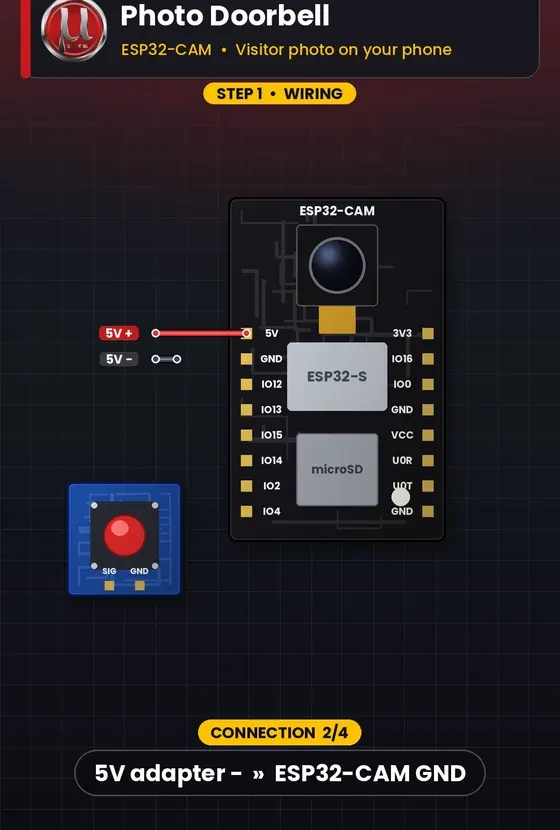
PowerGroundSignal
| # | From | Connect to |
|---|---|---|
| 1 Power | 5V adapter + | ESP32-CAM 5V |
| 2 Ground | 5V adapter − | ESP32-CAM GND |
| 3 Signal | Button | ESP32-CAM IO13 (INPUT_PULLUP) |
| 4 Ground | Button other leg | ESP32-CAM GND |
3D print files
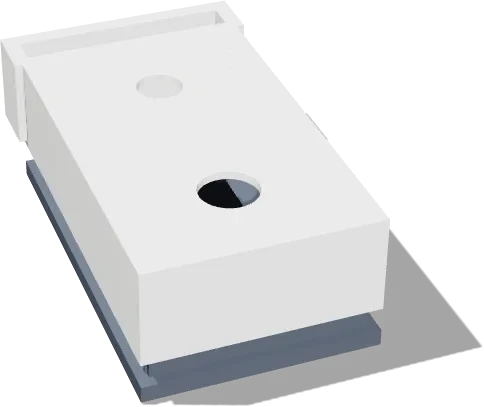
- cam_housing_front.stlPETG / ASA for outdoorsLink at launch
- cam_housing_back.stlPETG / ASA for outdoorsLink at launch
Code
The tested Arduino / ESP32 code for this project will be posted here, ready to copy.